

How to List Your First 3 Services on SKINA: A Step-by-step Guide
Now that you’ve secured your account with a new password, it’s time to set up your services and attract customers. Follow these simple steps.
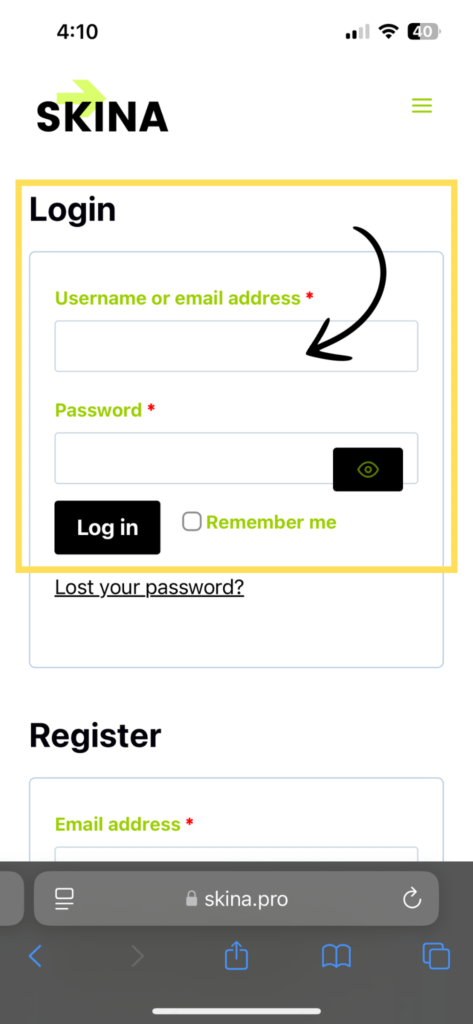
Step 1: Log in
Sign in using your new password to access your account using this link: https://skina.pro/my-account/
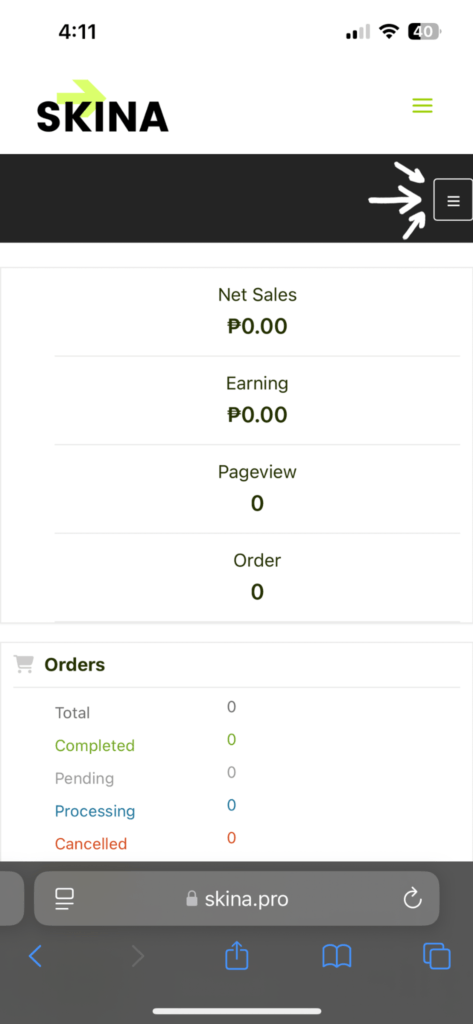
Step 2: Open the Navigation Menu
Tap or click the hamburger menu button (☰) in the top corner of your screen.
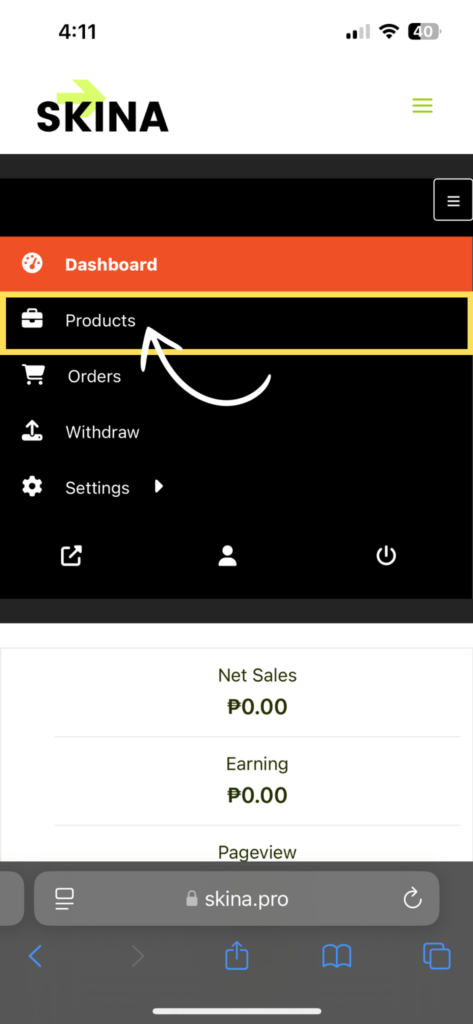
Step 3: Go to “Products”
From the menu, select “Products” to access your listings.
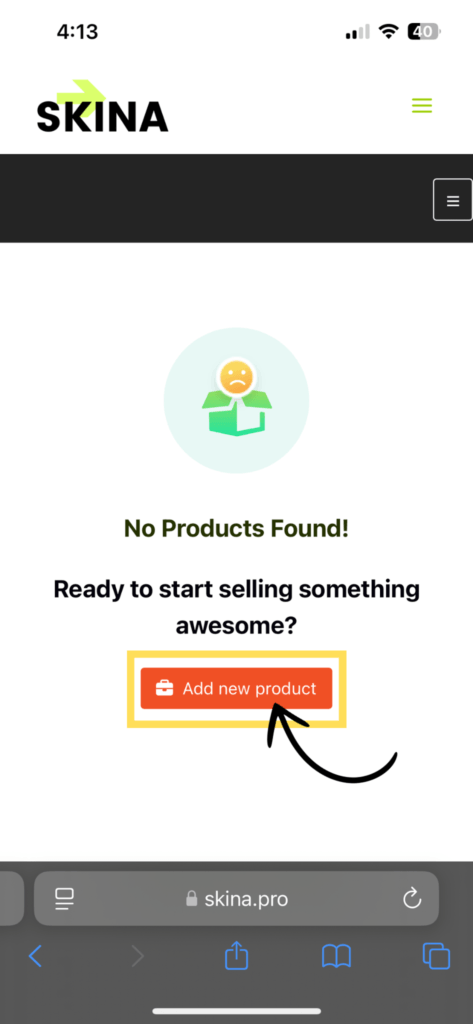
Step 4: Add a New Service
Tap or click the “Add New Product” button.
Step 5: Enter Service Details
Fill in the necessary details for your service:
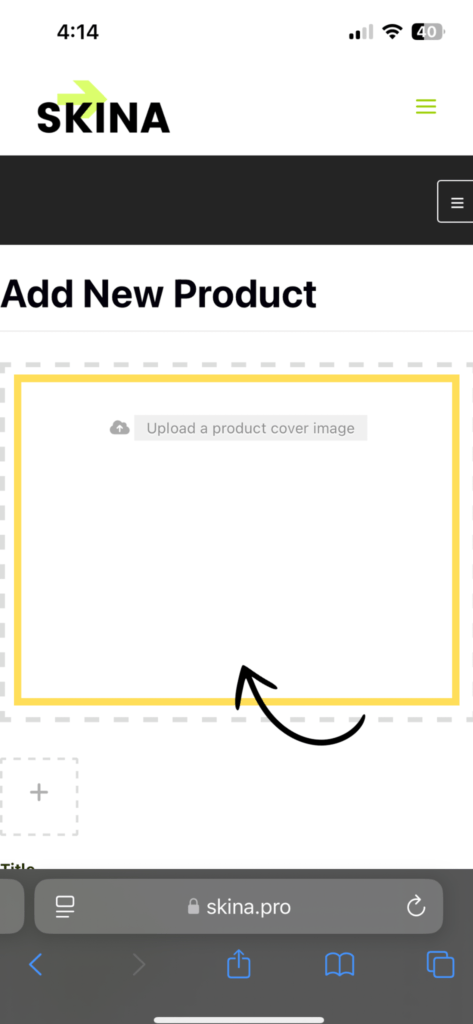
- Upload a cover photo – Add a clear and professional image.
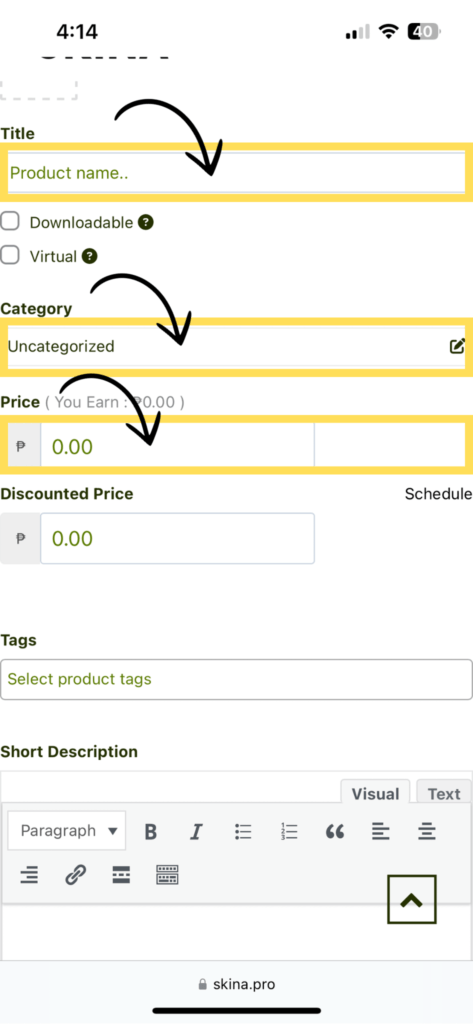
- Title – Name your service to attract customers.
- Category – Choose the right category for easy discovery.
- Price – Enter the cost (use 0.00 if it’s free).
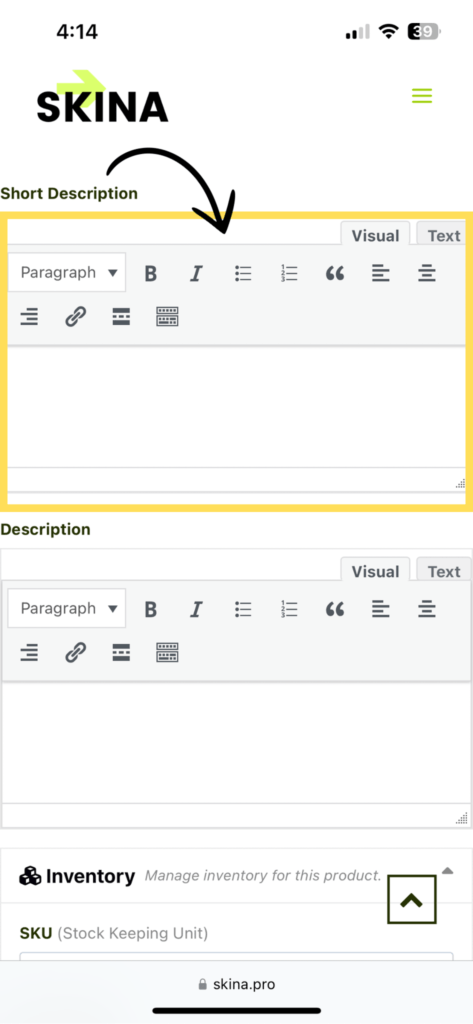
- Description – Write a brief, compelling overview of your service. (Need a custom customer form? Let us know!)
Step 6: Save Your Listing
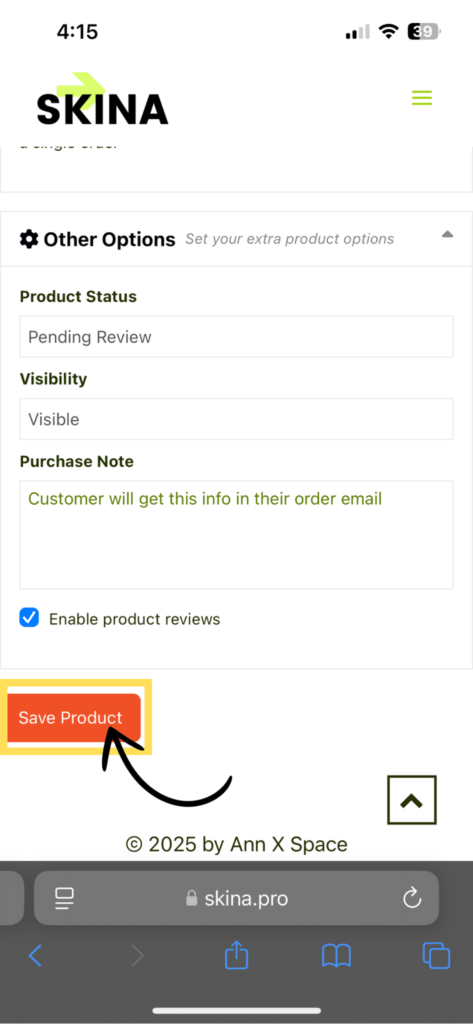
Click “Save Product” to submit your service for approval.
Want to add more services? Just repeat Step 4!
Once your listing is approved, you’ll be notified. Let us know once you’re done, and we’ll take care of the rest!



One Comment
Comments are closed.